Home VeloAce
VeloAce | Print |  E-mail
VeloAce Logo
Data

Data screen (0.9.6)

Trip

Trip details screen (0.9.6)

Trainer

Trainer/laps screen (0.9.6)

Log

Logging details screen (0.9.6)

Log manager

Log Management (0.9.6)

Speedo

Speedometer screen (0.9.6)

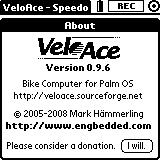
About

VeloAce is the Open Source bike computer with logging and training functionality for Palm OS®. VeloAce is licensed under the terms of GNU General Public License (GPL) version 2. Copyright © 2005, 2006, 2007, 2008, 2009 Mark Hämmerling.

Overview

VeloAce provides a clear user interface showing the most important data on five different screens:

  • Data screen: current, average and maximum velocity, acceleration, trip time, total and trip distance,
  • Trip screen: total and remaining trip distance and time,
  • Trainer screen: Top 10 or Last 10 laps, automatic and manual lap trigger,
  • Log screen: details about the running log, buttons for inserting markers, and a distance vs. velocity graph,
  • Speedometer screen: a classical analog representation of the current velocity, including trip and total odometer.

VeloAce can record logs of your bike trips and allows you to beam these logs to friends or to your notebook or PC for further analysis.

Using Palm PDA hardware has several great advantages:

  • VeloAce runs on hardware that is nowadays considered obsolete and which is therefore very inexpensive to get
  • it uses the brillant dot matrix touchscreen with even backlight capabilty
  • it can use the already installed RS232 or IrDA hardware to interface to your wheel sensor

The Palm PDA can simply be connected to your wheel sensor over these interface circuits:

  • VAIF-1 for very simple connection over RS232 (spare HotSync cable recommended)
  • VAIF-2 for simple connection over IrDA (also allowing even more modern Palm PDAs to use VeloAce)

Features

  • detailed trip data logging (Perl scripts for conversion to CSV are included)
  • scrolling graph with distance vs. velocity (recent 158 wheel revolutions)
  • detailed data display: current, average and maximum velocity (km/h, mph), acceleration (g), trip time (h:m:s), total and trip distance (km, miles)
  • training capabilities with Top 10 or Last 10 laps and manual and/or automatic lap triggers
  • detailed trip data: total trip distance (given by user), completed trip distance, remaining trip distance, total trip time (estimated), completed trip time, remaining trip time (estimated), trip progress bar and percentage
  • classical speedometer view with analog display, total and trip odometers

New features of VeloAce 2009

  • High-precision timing finally allows us to have a much more precise calculation of the current velocity and a much quicker response to incoming signals. This feature requires CPU support and is therefore only available on Motorola 68k CPU based devices (which is anything that runs the supported Palm OS versions).
  • The new UI font gives you a new sportive user experience. Please note that the screenshots were generated with an earlier version. To check out the new look, just download VeloAce and find out by yourself. ;-)
  • Version 2009.6 also supports log recording with the new Log1 stream format, allowing to record high-precision timing in logs.

Earlier features

  • Miles and mph support! VeloAce can now also display distances in miles and speeds in mph, in addition to kilometers and km/h. You can choose between both base units in the preferences dialog.
  • Trainer screen! This new screen offers you to comfortably measure and setup the total length of one lap. During your training you are kept up to date about your performance with the Top 10 lap list, which shows you the lap number, the lap time and the lap average speed for each one of your 10 best laps. The least recently added lap is highlighted. You can also choose to display the Last 10 laps instead. A new lap can be triggered by pressing the "page down" hardware button ("Manual" trigger) and/or automatically when the lap length has been reached ("Auto" trigger).
  • IrDA support! Using a very trivial circuit ("VAIF-2"), it is now possible to connect your wheel sensor not only in a wireless way, but also to Palm devices that have no RS232.
  • Log manager! Now you can manage your recorded log databases from within VeloAce. Using the log manager you are able to beam logs to friends or to your PC for analysis. Also, you can get an info about a log, rename or delete it, and even append a log recording to an existing log database.

What you need

Note: Usage is not necessarily restricted to these platforms, but they have been successfully tested and are therefore recommended.

PDA Hardware

PDA hardware that is known to work:

  • Palm IIIx
  • Palm IIIxe
  • Palm Vx
  • Palm m100
  • Sony Clié PEG-S360
  • Handspring Treo 300 (slow screen updates)

Thanks to Michael Elliott for reporting status of the m100, Clié and Treo devices.

All listed devices have flash ROM (using special tools, VeloAce can even be put in there), the III models use standard AAA batteries which you can quickly change on a trip, and since the older Palm models are today considered obsolete hardware, they are really inexpensive to obtain (around 20€ at eB*y).

Palm OS

Palm OS versions known to work:

  • Palm OS 3.5 up to 4.x

Note on Palm OS 3.3: I am trying to get it also working on OS 3.3, but it behaves badly in some cases - and it's not always easy to implement a workaround for this old OS. So if you have a Palm with flash ROM, you should really upgrade to at least OS 3.5.

Note on Palm OS 5: If there are any programmers with Palm OS 5 experience, please contact me. I would like to find out why Palm OS 5 freezes when a wheel revolution is detected (I suppose the interrupt handler does not work as expected). I have no OS 5 PDA around, so I might need some testers once I've tried to fix it. Thank you Tomas and Ralf for reporting the OS 5 related problems.

Wheel sensor interfaces

  • VAIF-1 for RS232, or
  • VAIF-2 for IrDA connection

The VAIF-1 has been the first official VeloAce RS232 interface. It's a simple connection shorting RTS and RXD. No electronic parts required.

The VAIF-2 is the first official VeloAce IrDA interface. Using just a dual non-retriggerable monoflop, an infrared LED, and a few passive parts, this trivial circuit generates an infrared light pulse which enables VeloAce to detect a wheel turn.

For details about the wheel sensor interfaces, see the VAIF build instructions PDF document.

Download

Get VeloAce from SourceForge or just choose the latest version from the Engbedded Download Server.

Testing without a cable

Even without the interface cable you can test VeloAce with a standard infrared remote control. Just setup the VAIF-2 (IrDA) interface in the preferences. Then point your remote control at the Palm and simulate wheel revolutions by pressing any button on the remote control. Depending on the IR protocol used by your remote VeloAce will more or less properly detect single wheel revolutions (try to press very shortly and/or try different remote controls).
Alternatively, you can use a serial terminal program on your PC, with the Palm connected via cable or cradle. Just open the RS232 port the Palm is connected to and send any characters at any baud rate to simulate wheel turns.

This way you can get a feeling how VeloAce works without having to get or build the cable first.

Hints for mounting the PDA to your bike

Mounting the PDA to your bike might be the trickiest step (for you - for me it was the programming :-)). You've got to fix the Palm onto your handle bar.

If it helps you, you can rotate the Palm. Together with the "FlipHack" and "Flip Graffiti Hack" you can use your Palm in any direction, maybe allowing you to access the application buttons in a more comfortable way.

I am planning to mount a Palm Vx using its stylus grooves. I will report if it's robust enough.

To mount a IIIxe (rotated 90° ccw), I used a construction with strong inox wire where the Palm is slipped in at the left side (actually its upper side) and clamped in at the right side (using the little notches at the sides of the Palm III case). Well, it looks a little weird, and I hope the Vx construction will look better and be more comfortable to use.

My support

If you've got any questions or comments, an idea of a nice feature, or code or artwork that you want to contribute, please don't hesitate to contact me.

Donors

I would like to thank these generous people for having voluntarily donated to the VeloAce project:

  • Fred, Daytona Beach/USA
  • Tom Zalmstra, Netherlands
  • Russ Taber, Michigan/USA

Your support

Developing VeloAce has consumed a lot of my time. I've been really enjoying developing it, and I appreciate every feedback. If you got the feeling that you really, really like this project, and that you've maybe saved a lot of money because VeloAce offers you features that some of the most expensive bike computers can not provide, then please consider a donation of whatever amount you find appropriate and give this project a successful future. I would really like to add your name to the list of donors (unless you don't want to be listed here). Many thanks in advance!

There is also a page that discusses requested features for VeloAce.

Related projects

  • Bikan: A graphical viewer for VeloAce and Bikini log files. Author: Joost Zalmstra.